Opening a password-protected account backup
Introduction
When you request an account backup, you can set a password to protect the download. Password-protected backups are encrypted with AES-256, a stronger standard that keeps your documents more secure.
The unzip tools built into Windows and macOS cannot open these backups. Double-clicking the file or choosing Extract All may report that the file is invalid or cannot be expanded, or may keep rejecting the correct password. To open a protected backup, use one of the free tools described below.
Backups requested without a password are not encrypted and open with any unzip tool as before. For how to request and download a backup, see Account Backups.
Opening a Backup on Windows
- Download and install 7-Zip from https://www.7-zip.org. If you cannot install software on your computer, ask your IT team to install it for you
- Right-click the downloaded backup file and select 7-Zip > Extract files...
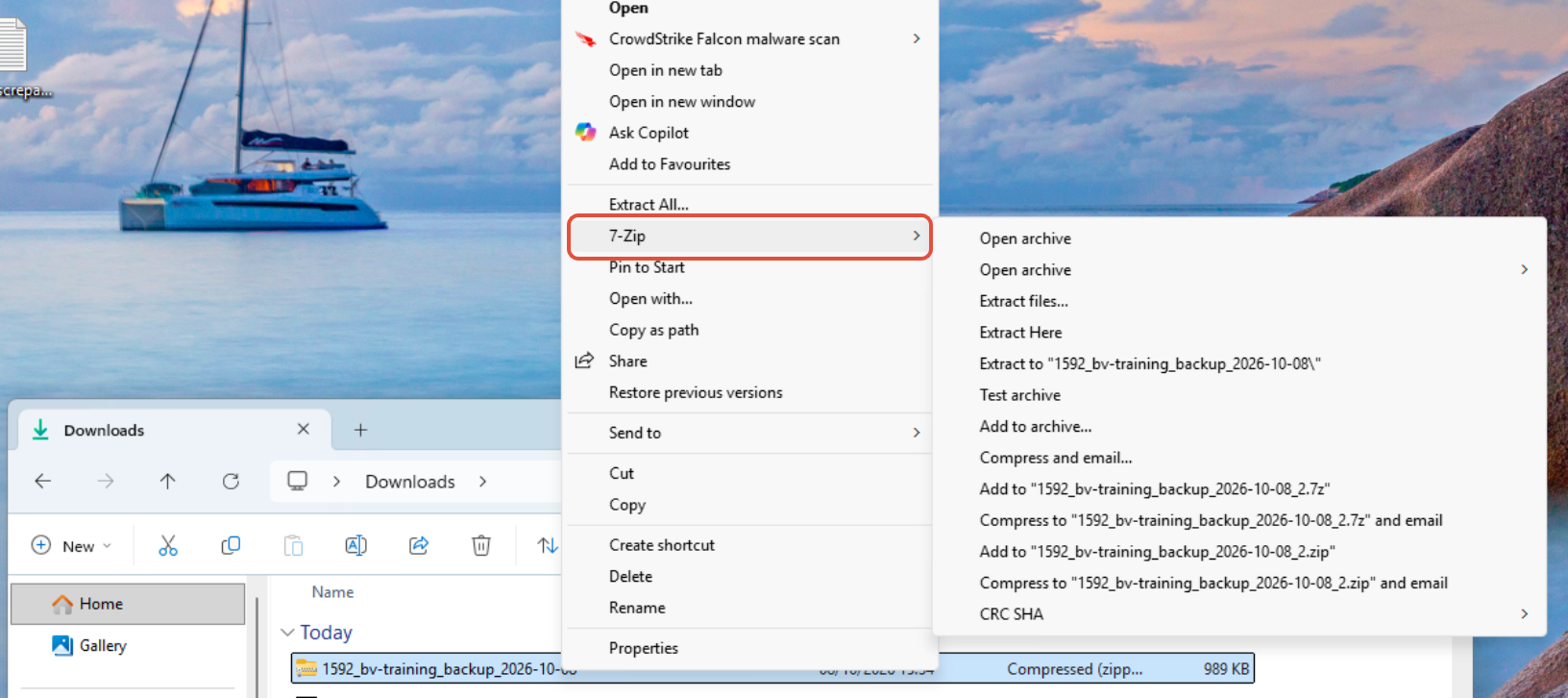
- Choose where to save the files, then click OK
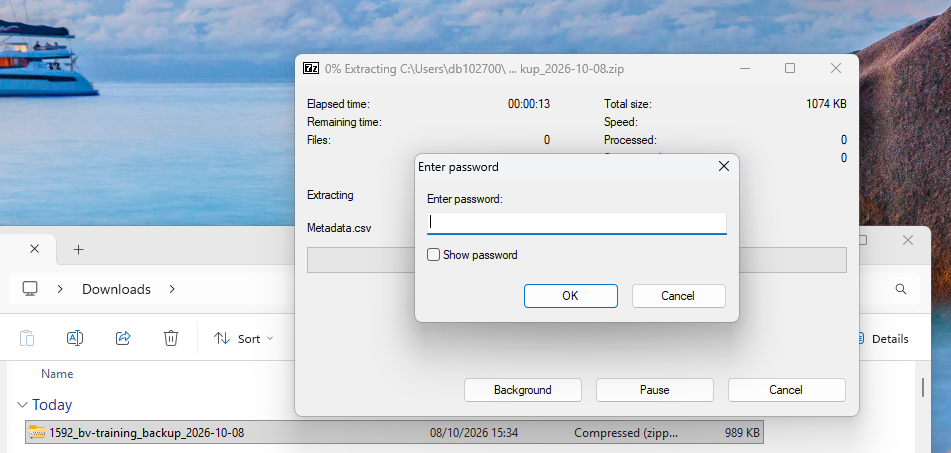
- Enter the backup password when prompted and click OK
Opening a Backup on a Mac
- Install a free unzip app that supports encrypted zip files, such as The Unarchiver or Keka, from the Mac App Store
- Right-click the downloaded backup file and select Open With, then the app you installed
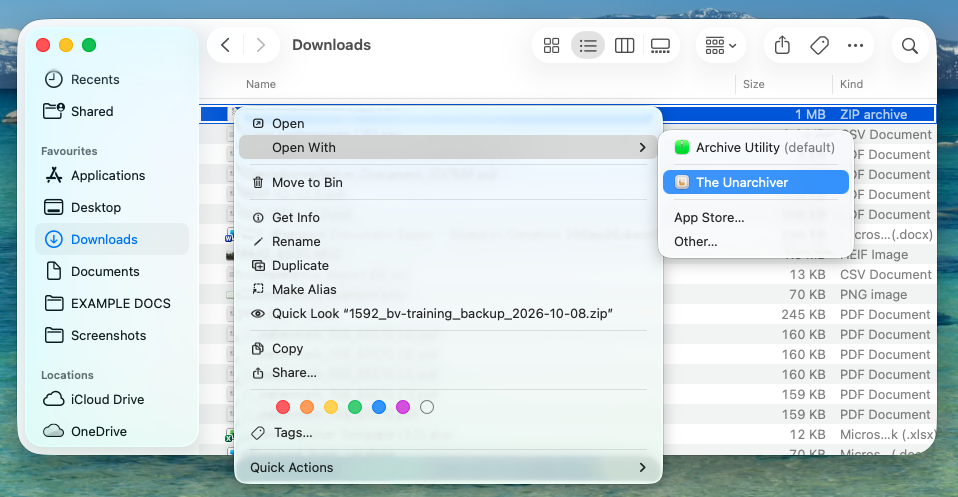
- Enter the backup password when prompted
About the Password
- The password is case-sensitive, and spaces count, including any at the start or end
- It can only contain standard keyboard characters: letters, numbers, spaces and common symbols. Characters such as £, accented letters and emoji are not accepted, and iPassport shows the message, “The backup password can only contain standard keyboard characters: letters, numbers, spaces and common symbols.” if one is used
- To request a backup without a password, leave the Password field empty
- iPassport cannot show you the password again, and it cannot be changed on an existing backup. If you forget it, request a new backup
- The password protects the contents of the files. The names of the files inside the backup can usually still be seen without it
Download Period
A backup can be downloaded for 2 weeks from the date it was requested. See Account Backups for details.
Was this article helpful?
That’s Great!
Thank you for your feedback
Sorry! We couldn't be helpful
Thank you for your feedback
Feedback sent
We appreciate your effort and will try to fix the article