Reagents & Materials Management
Introduction
iPassport has dedicated modules for the management of Reagents and Materials and an optional feature for batch and stock management can be enabled by request. Most of the information in this user guide is shared by both modules. The main differences are that Reagent records have a Preparation tab, which Material records do not, and the Materials module has an Import Material tab (shown to users who can create materials), which the Reagents module does not.
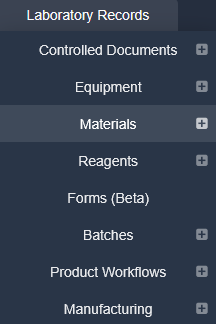
Information needed to manage and reorder stock can be kept in each record, using the comprehensive set of parameters available when the batch and stock management feature is enabled. All the information (such as ‘supplier’ or ‘cost’) can be updated at any time.
When the batch and stock management feature is enabled, it is possible to add minimum stock warnings and stock expiry warnings in each reagent and material record.
Batches of stock that are no longer needed (for example, expired stock) can be destroyed by users with permission to destroy stock. A reason for destroying the stock must be entered. Stock cannot be destroyed for an inactive reagent.
iPassport- Locations can be assigned to specify where materials and reagents are stored or used. Without the batch and stock management feature, storage locations are set on the reagent or material record itself. When the feature is enabled, a storage location is chosen for each batch when stock is added; only locations set up as storage locations within the organisational unit are offered.
The additional batch and stock management feature provides two extra tabs in each module, one for searching stock and the other for adding stock.
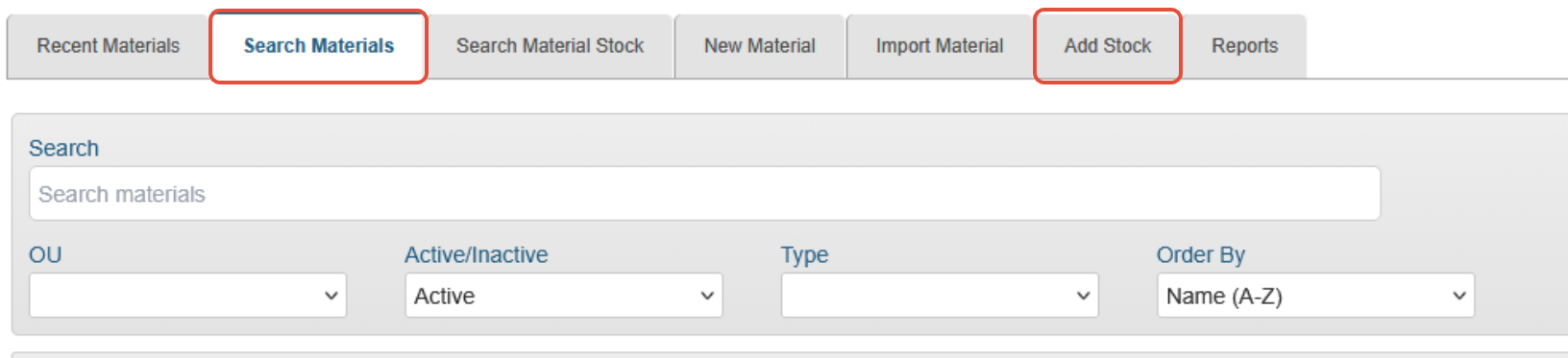
The Reagents and Materials records will also have an extra tab to view ‘Inventory’ levels and transactions and to produce reports.
Contents
- Permissions & Settings for Reagents and Materials
- Creating Reagents and Materials Records
- Searching & Managing Reagents and Materials
- Managing Stock
Next step:
The next article covers Permissions & Settings for Reagents and Materials
Was this article helpful?
That’s Great!
Thank you for your feedback
Sorry! We couldn't be helpful
Thank you for your feedback
Feedback sent
We appreciate your effort and will try to fix the article